
Reviewing Potentially Overdue Discharges in Vista
Vista now offers a tool to help centers quickly review and update potentially overdue discharges. This helps maintain accurate records, ensures timely post-treatment follow-up, and supports reliable reporting.
Accessing the Potential Discharges List
- Go to the Patient’s Page.
-
Click the blue box titled “Potential Discharges.”
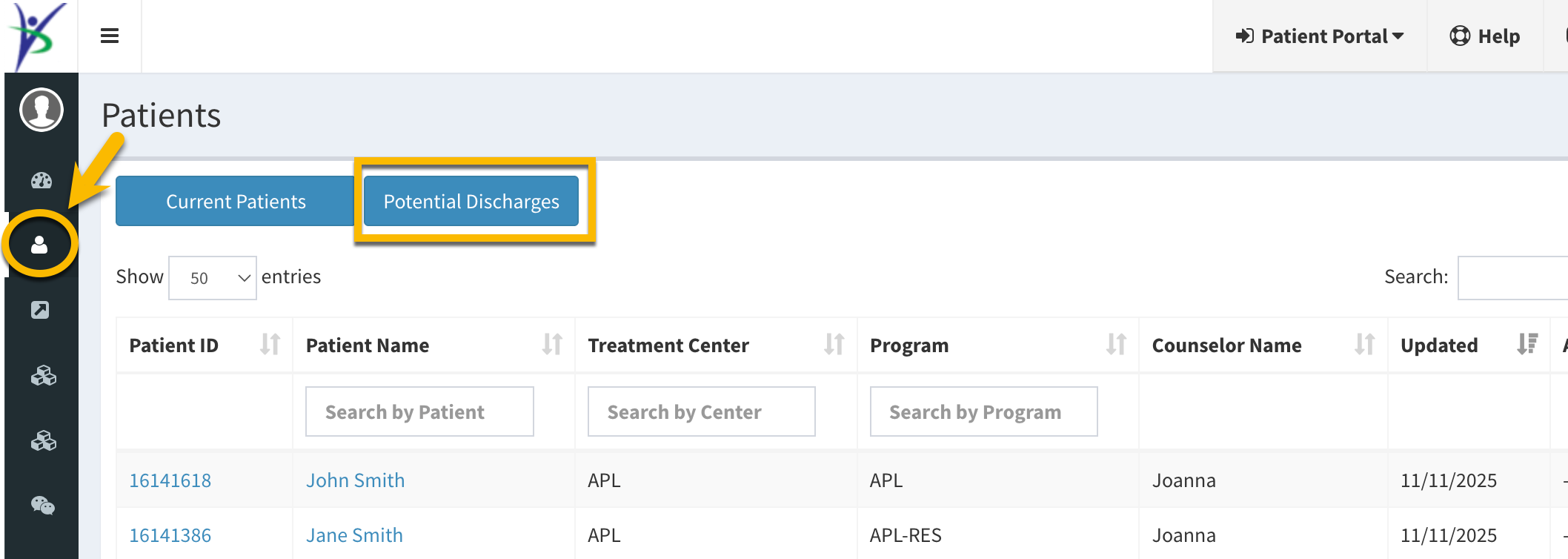
The software will generate a list of patients who have been in treatment longer than the average length of stay (LOS) at your center.
What You Can See
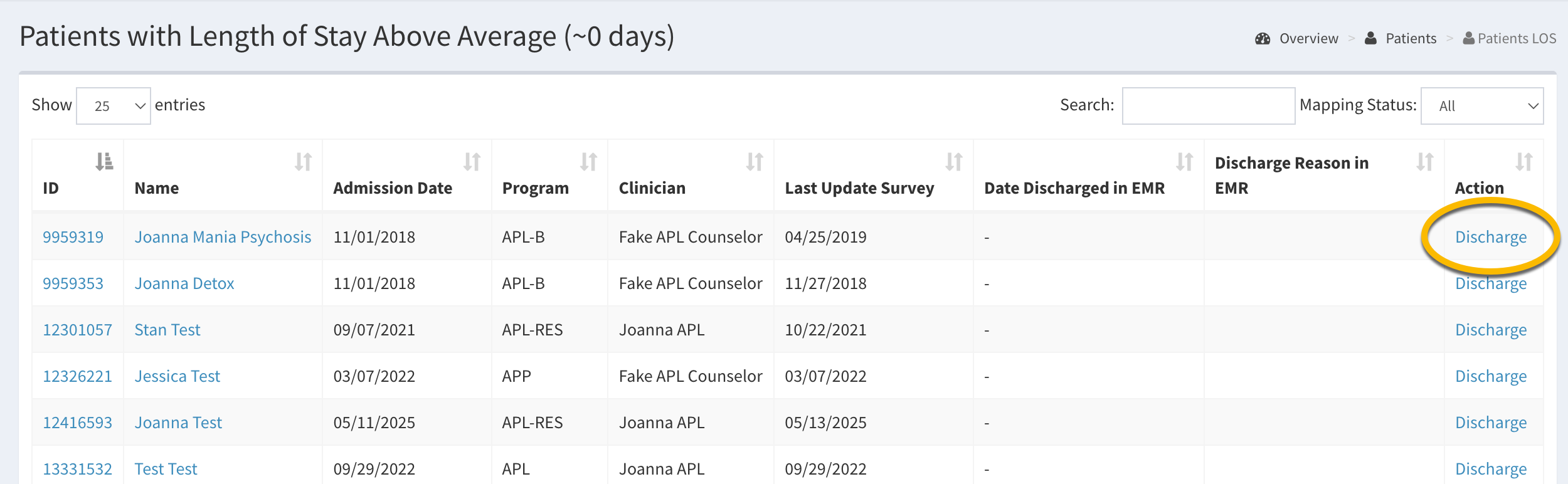
For each patient, the list shows:
- Admission date
- Date of last update survey
- Discharge date in your EHR (if integrated with Vista)
- Additional patient information
Updating Discharges
From this page, you can quickly:
- Click Discharge on the right for any patient who has left treatment
- Add a discharge date and reason
Why This Matters
- Maximizing Outcomes: Prompt discharges ensure patients can be reached effectively after treatment, drastically improving response rates.
- Data Integrity: Updating discharges stops data collection for patients who are no longer in treatment, thereby reducing associated risks.
- Accurate Reporting: Correct discharge dates are essential for analytics and annual progress monitoring reports.
Vista introduced this tool to make it easier to routinely review and update patient discharges, keeping your data accurate and actionable.
If you have questions or need help with discharging patients, please email us at support@vista-research-group.net.